Resources and limits
Your plan sets guaranteed resources and a ceiling. You are the administrator of your panel, except for a few settings that Nebus manages so that it always works.
What is guaranteed
| Resource | How it is enforced | If you go over |
|---|---|---|
| RAM | Reserved for you, never resold to anyone else. | The system caps your servers at the plan's RAM, whatever you set in the panel (see Over-allocating). A server that exceeds its own limit is stopped by the system (out of memory): increase its memory or reduce its load. |
| CPU | Your vCPUs, shared between your servers. | Servers are slowed down, never stopped. |
| Disk | Space of your own: servers, backups and game images. | Writes fail (worlds, logs). Delete old backups or unneeded files. |
These limits are enforced by the system, outside the panel: changing the values in Pterodactyl does not give you extra resources. To get more, move to a higher plan from your panel's page (see Changing plan).
Over-allocating in your panel
Nebus does not over-allocate: your plan's RAM and disk are reserved for you. Inside your panel, however, you are free to over-allocate: Pterodactyl never refuses a server for lack of room. With a 4 GB plan, you can for example:
- create three 2 GB servers that will not all be busy at the same time;
- create a server set to 12 GB: in practice it gets the plan's 4 GB.
Nothing to turn on: your panel's node comes with Overallocate set to 100000%, so Pterodactyl never refuses a server for lack of room. The node page (Nodes → Nebus) compares what you allocated with your plan and shows more than 100% when you over-allocate: that is normal.
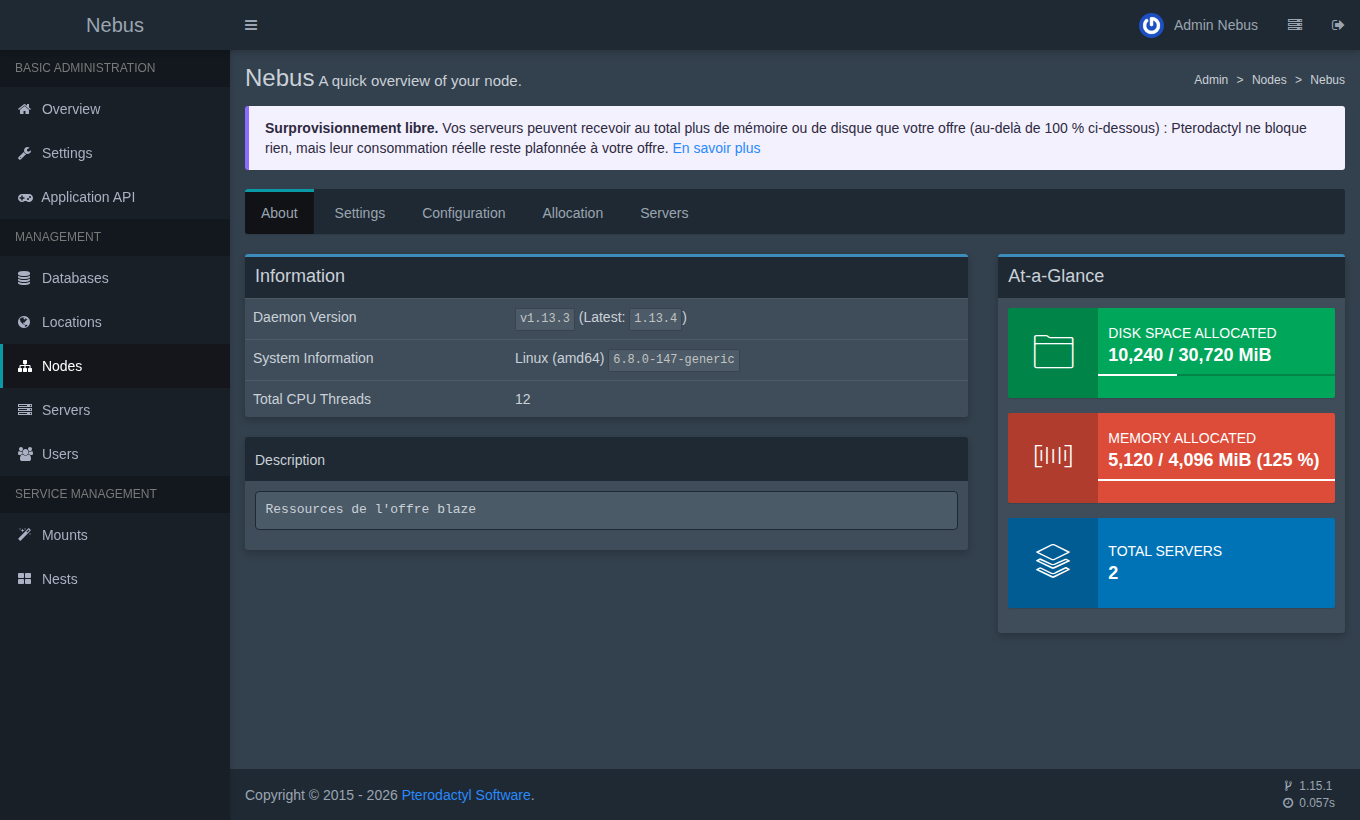
Actual usage stays capped at your plan. If your servers together use more RAM than the plan, the system stops the one using the most; if the disk is full, writes fail. Over-allocate knowingly and keep some headroom, or move to a higher plan.
The limits you give your servers do not block a plan change either: a downgrade is only refused if your files do not fit in the new disk.
What Nebus manages
- The node: it can neither be deleted nor duplicated. Its address, the daemon ports and its resources are locked (over-allocation is already allowed, see above); its name and description can still be changed.
- Ports: without a dedicated IP, the panel's 100 ports are fixed (see Ports and connection). With a dedicated IP, you manage your ports freely.
- Nebus's API key, invisible in the panel.
- Pterodactyl updates: they are applied by Nebus, without any data loss.
- Sending of panel e-mails (forgotten password, invitations): it goes through Nebus's mail server, whose settings cannot be changed (see Panel e-mails).
What is not included (yet)
- Several nodes per panel.