Node.js and Python bots and apps
Your panel does not only host games: it comes with two generic eggs to run a Discord bot, an API, a small website or any script.
The eggs provided
They are in the Generic nest, already installed in your panel:
| Egg | Versions (Docker Image) | Program started |
|---|---|---|
| Node.js generic | Node.js 22 to 26 | Variable MAIN_FILE (index.js by default; a .ts file is run with tsx) |
| Python generic | Python 3.7 to 3.14 | Variable PY_FILE (app.py by default) |
These eggs come from the community repository pelican-eggs (MIT licence), adapted by Nebus for Pterodactyl.
Creating the server
- Administration → Servers → Create New: a name, the owner and a port (Default Allocation), even if your bot does not use one.
- Resources: a simple bot fits in 256 to 512 MiB of memory and 50% CPU; a website or an API in 512 MiB to 1 GB.
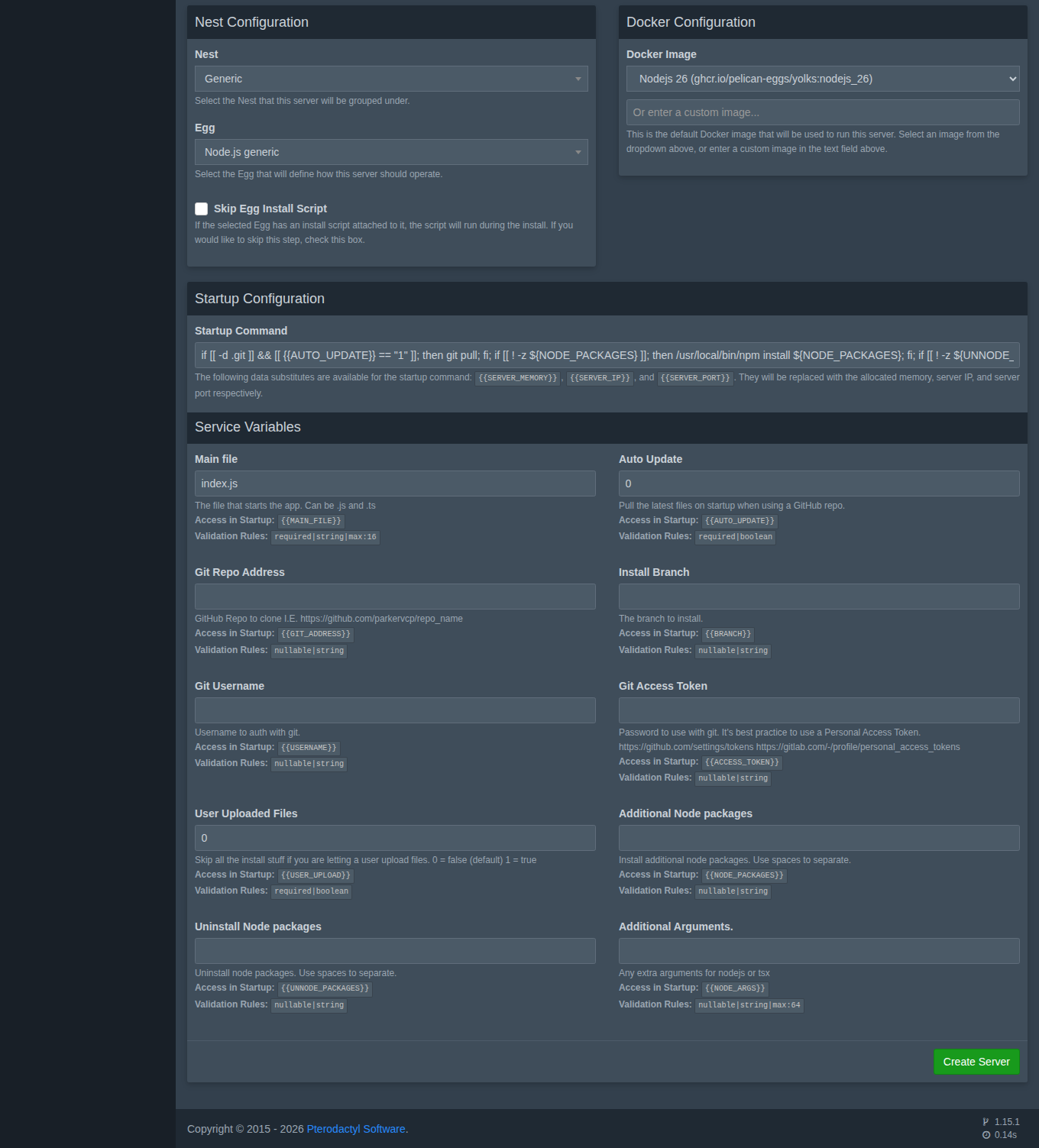
- Nest Configuration: Generic, then Node.js generic or Python generic. Choose the version in Docker Image.
- Service Variables: the file to run, and optionally the Git repository (see below). If you are going to upload your files yourself, set User Uploaded Files to
1. - Create Server. Installation takes less than a minute.
Adding your code
- From your computer: Files tab (Upload button) or over SFTP (see Files and SFTP). Put the startup file at the root.
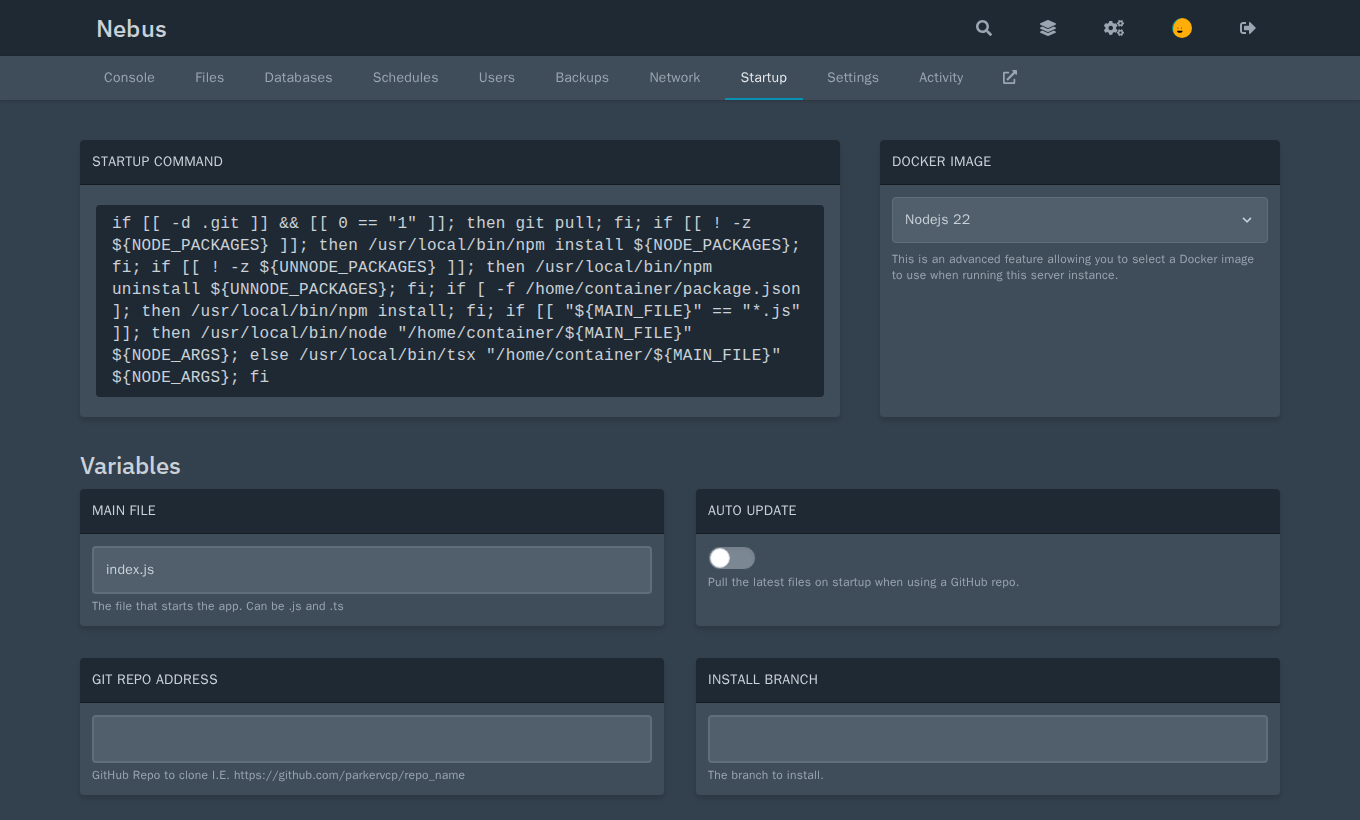
- From Git: fill in Git Repo Address (and Install Branch if needed); for a private repository, Git Username and a token in Git Access Token. The repository is cloned at installation; with Auto Update set to
1, it is updated (git pull) at every start.
These settings can be changed later in the server's Startup tab. To clone another repository, change the address then Settings → Reinstall Server (the folder must be empty).
Dependencies
- Node.js: if a
package.jsonis present,npm installruns at every start. The Additional Node packages variable adds packages (separated by spaces), Uninstall Node packages removes some. - Python: if the
requirements.txtfile (variableREQUIREMENTS_FILE) is present, it is installed with pip at every start. The Additional Python packages variable adds packages.
Packages are installed in the server's folder and count towards its disk space.
Starting and monitoring
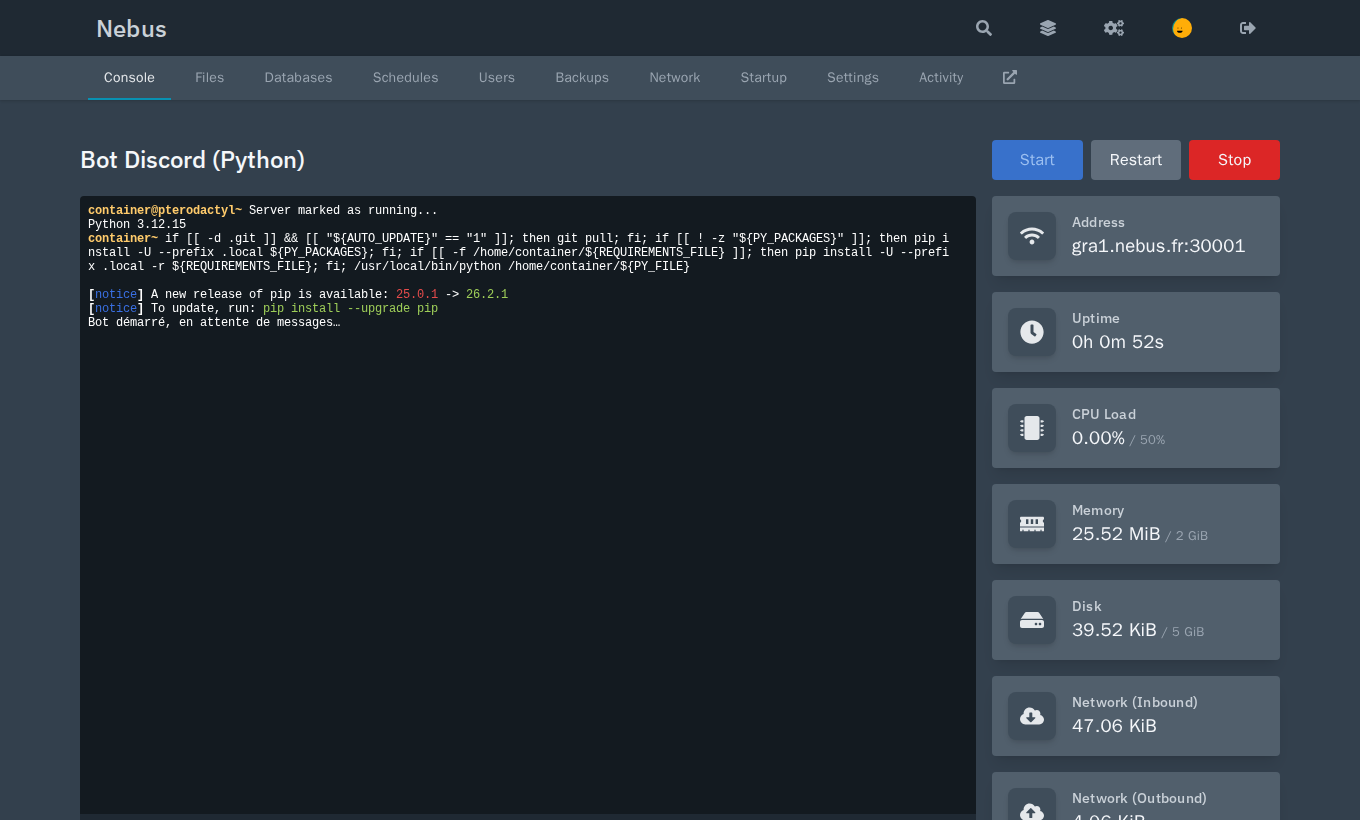
Click Start in the console. The server switches to Running (green) as soon as your program prints its first line; if it never prints anything, it stays Starting (yellow), with no other consequence. Stop sends Ctrl+C to your program.
To restart automatically every night, use a schedule.
A web app
Your app must listen on the server's port, given by the SERVER_PORT environment variable, and on all addresses (0.0.0.0):
const http = require('node:http');
const port = process.env.SERVER_PORT;
http.createServer((req, res) => res.end('Hello!')).listen(port, '0.0.0.0');
It can then be reached over HTTP at the address and port shown in the console (for example http://gra1.nebus.fr:30000; your panel's address is on the Server address line of the client area), or on your dedicated IP. HTTPS is not provided on these ports.
Tokens and passwords
Do not put your bot's token in a public Git repository. Put it in a file (for example .env, read by your program) uploaded through the Files tab, or in one of the server's databases (see Databases).